Posts

Assumed Support from Third Party Solutions

While I was doing some presentation slides for one workshop, I happen to look for 3rd party virtual switches support on vSphere. This is the KB that is from VMware. Just for those who are not aware, VMware has announced the end of support for third-party virtual switches on vSphere and vSphere 6.5 Update 1 will be the last release to support these switches with vSwitch APIs. While reading through the pointers I came across one point that caught my attention: What about Cisco AVS, which is part of the Cisco ACI solution? Are you also discontinuing support for AVS?   VMware has never supported Cisco AVS from its initial release. This might come as a surprise but there are customers who have implemented the above without knowing that VMware does not support. Just by using the above for discussion. there are many solutions currently on the market that claims or market to support certain hardware or software. However, with further research, this has been a one-sided clai...
Software Support Service Level, Why it Auto Close?

Many times I have heard comments on software support from other vendors externally by customers as well as internally working in principle. The interesting part is many does not know how these support services measure their support quality or success criteria. This article is just to illustrate how a support ticket goes through and how it is closed or close temporarily till a user response. Typically when we raised a support request, there are always three levels or severity. I would go into the details. But you can check out my past  post on that. An engineer typically response to a support request upon receiving a support based on the severity SLA if it's raised online. If that is over the phone, the user will have to wait for the next available engineer to answer the user. Once a call is completed with the user, they will reply to the user based on what was communicated over the phone. This then follows the next step typically awaiting user to perform a certain task a...

vMotion Between CPUs

With the release of vSphere 6.7, and the ability to have EVC on a per VM level instead of a per cluster level raise some questions. Before we start here is an article on how to check what level of EVC to use here . One of the questions often asked, does vMotion works across newer CPUs in the same generation without an EVC cluster? If you follow this KB , in the last paragraph: Once the virtual machine is power cycled: They are only able to move to other ESX/ESXi hosts that are at the same CPU generation or newer. What this state means if you have a new server with a new CPU generation, technically you can perform a vMotion without having the VM in an EVC cluster. However, there are cases where vMotion will fail even the CPU is of the same generation due to an older version of VM hardware which has a more stringent check. As stated here , due to the destination host with a newer CPU with ISA extension not found on the source host. In the above case, vMotion will stil...

VMUG Singapore by VMware and HPE

If you are in Singapore, do remember to register for VMUG Singapore event sponsored by VMware and HPE. Look for the event details here . This is not going to be the usual evening session but going to start at 2pm coming Friday, 11th May. There will be several sessions on the updated release from VMware and HPE and a networking session, vBeer to interact with fellow professionals as well as a chance for you to find out more what VMware and HPE are cooking. We will also have our special guest Don Sullivan , author of Virtualizing Oracle Databases on vSphere . So don't look further, if you are in town, Join Us!

New in Software Defined Compute in vSphere 6.7

Today marks the release of the next iteration of vSphere. Most changes are the improvement of existing features and that includes what is embedded together with ESXi which is vSAN . First, vCenter Appliance will support Single Sign On domain with embedded PSC with Hybrid Linked mode. During this release, support for the upgrade with older vCenter Server with External PSC will not be possible at release. External PSC setup is still supported. There is a Hybrid Linked Mode which will support on prem vCenter Server 6.7 with VMware Cloud on AWS vCenter Server 6.5. Lastly, this is also the last release support for vCenter Windows Server as mentioned in the last release . There will be a backup tool and can be scheduled to help manage vCenter recovery process. In terms of migration to vCSA, the migration tool allows asynchronize background process to reduce the amount of downtime. The HTML5 Client (Clarity UI) has not feature priority up to 95%, up from version 6.5. Yo...

What So New in vSAN 6.7

With the release announcement of vSphere 6.7 it comes with his in-kernel vSAN 6.7 upgraded together. With the big move to HTML5 client (Clarity UI), vSAN 6.7 will support Clarity and with much of its functions and management done in Clarity. That definitely better than using vSphere Web Client. Together with this release, a new assessment tool for HCI is introduced. This will work not just on vSphere but also Hyper-V and physical server. The best part is that this assessment tool is free. The long awaited support for WFSC is not possible with iSCSI target. Bigger improvement on destaging and data placement and failure handling. Check out the post here .

VMware vCenter Server Virtual Machine Name Character Limit

Image
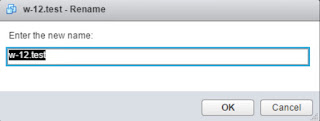
Recently I got asked how many characters can a VM name character support and any special character can be used? Been doing vSphere since version 3.x, it has never encountered to me there was a limit in that space. Having said that, there is a case where a customer would need this. Example, to have the VM name similar to the FQDN especially true in a multi-domain or tenant environment where VM name could be the same and only the domain or tenant is the differentiator. So doing a quick check here is the below KBs that state the limit: As of vCenter Server 4.1, the number of characters for a VM name is 80. KB Display names for any objects e.g. VM Name, Datastore Name, etc. should not contain special characters like %, &, *, $, #, @, !, \, /, :, *, ?, ", <, >, |, ;, ' etc are contained in names of vSphere entities such as virtual machine name, cluster name, and datastore/folder/file name. However, '-' and '.' is apparently supported.  KB Here...